Back
Back
What is Google WebMCP? AI Agent Web Standard 2026
WebMCP is Google's new standard that lets AI agents perform transactions directly on websites instead of guessing what to click.
Feb 13, 2026


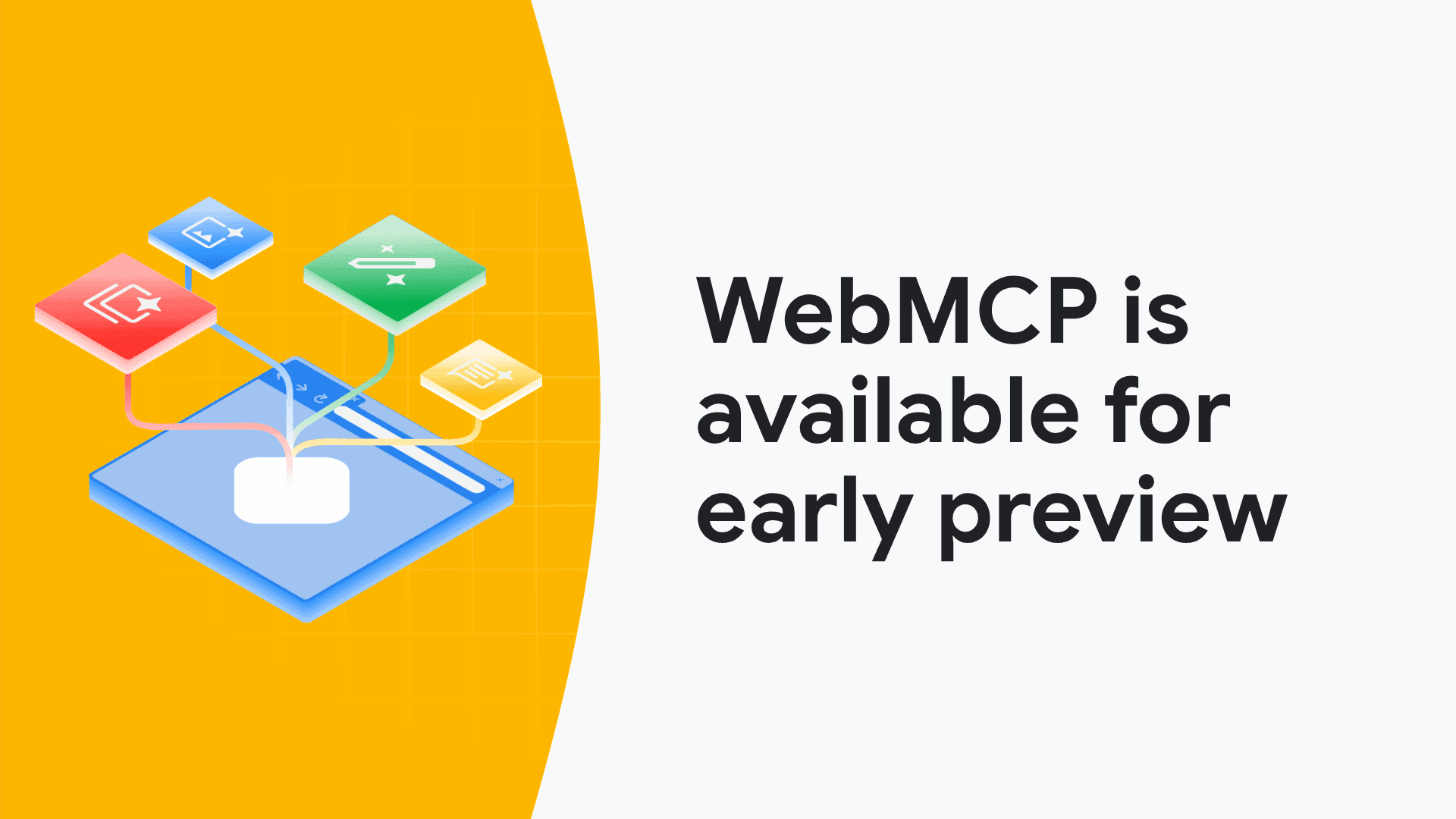
The Google Chrome team just announced WebMCP, a technology that fundamentally changes how websites communicate with AI agents. Think about it: when ChatGPT tries to book a flight for you today, it's basically guessing which buttons to click and which forms to fill. That's slow and error-prone.
WebMCP solves this by letting websites tell AI agents exactly what they can do. Released in February 2026, technical SEO expert Dan Petrovic calls it "the biggest shift in technical SEO since structured data." Industry voices like Glenn Gabe are calling it a big deal, and they're not exaggerating.

Why Was WebMCP Developed?
The problem WebMCP solves is pretty straightforward: AI agents don't know what to do on websites. When you tell ChatGPT "find me a hotel in Istanbul and book it," the AI has to look at all the buttons on the page and guess which one says "Book Now." Sometimes it confuses "Add to Favorites" with "Reserve." Sometimes it fills forms incorrectly. This method, called screen scraping, has serious issues.
WebMCP brings structure to this chaos. According to André Cipriani Bandarra from Google, websites can now give direct instructions to AI: "Click this button, send these parameters, here's what you'll get back." It's that clear.
What is Screen Scraping?
Screen scraping is how AI agents currently interact with websites, and it's basically a method from the early 2000s. The AI looks at the page's HTML code or visual appearance and tries to figure out "this is probably the buy button."
Here's what goes wrong: First, high error rate. Website design changes? System breaks. Second, it's slow because every click requires analysis. Third, different websites use different structures, so the AI constantly has to learn new patterns. WebMCP eliminates all of this by offering certainty instead of guesswork.
How Does WebMCP Work?
Think of WebMCP as a language. Websites use this language to say "here's what I can do," and AI agents read it to perform actions.
The system has two main parts: Declarative API and Imperative API. Both work through a new browser feature called navigator.modelContext. Through this feature, websites publish something called a "Tool Contract." Imagine a Tool Contract like a menu where the website lists "here's what you can do."
Take a travel site example: the Tool Contract lists functions like "search flights," "find hotels," "make reservation." The AI agent sees this list, gets a user request for "find flights to Istanbul," and directly calls the "search flights" function.
What is a WebMCP Tool Contract?
Tool Contract is the heart of WebMCP. It's a catalog of all the interactive functions your website offers. Each function is defined like this: name, what parameters it takes, what it returns.
Example: addToCart(productId, quantity, size, color).
When the AI reads this contract, it instantly knows "to add to cart, I need to send these 4 pieces of information." This approach offers a clear contract instead of a guessing game. AI can talk to your website like a native app.
What is WebMCP Declarative API?
Declarative API is for simple operations. You add a few special attributes to your HTML forms and you're done. It's ideal for standard web interactions like form filling, filtering, sorting. No need to write JavaScript. You make small additions to your existing HTML structure, and AI agents can read and fill those forms. Simple but effective. Minimal code change, big results.
What is WebMCP Imperative API?
Imperative API kicks in for complex scenarios. Think about a multi-step reservation process: date selection, seat selection, passenger info, payment. You can't handle these with a single HTML form. This is where you use Imperative API with JavaScript.
It requires more development effort but gives you full control. You can tell AI agents "call this function, wait for result, then move to this step." Essential for complex operations like e-commerce checkout processes, dynamic pricing, real-time inventory checks.
What Does the navigator.modelContext API Do?
navigator.modelContext is the communication channel in the browser. You access this API from JavaScript and publish your Tool Contract. When an AI agent visits your page, it automatically reads this contract. When a user makes a request, the agent calls the appropriate tool.
Without this API, WebMCP doesn't work - it's like the central nervous system.
How Does WebMCP Help AI Agents?
The difference between screen scraping and WebMCP is night and day. With the old method, an operation takes 5-10 seconds with a 15-20% error rate. With WebMCP, the same operation completes in 1-2 seconds with virtually no errors. AI agents can now understand and execute user instructions much better. When you say "find me the cheapest flight to London," the agent automatically calls the travel site's search tool and retrieves results. Way faster than manual form filling. Plus, multi-step operations are no longer a problem since the entire process from product selection to payment is defined in the Tool Contract, allowing AI to automate the whole flow.
Why is WebMCP Important for E-Commerce Sites?
E-commerce sites are in the sector that will benefit most from WebMCP. Customer behavior is changing. People now want to shop with natural language commands like "find running shoes under $50 and add to cart." WebMCP is the infrastructure that makes this experience possible.
ChatGPT, Gemini, or other AI assistants will recommend products to users. Which site will they recommend? The one with WebMCP support. Because they can complete transactions on that site, while on others they can only provide links. This means direct sales.
Abandoned cart rates could also drop. Instead of manually entering payment info, users tell the AI agent "complete the order." Friction decreases, conversion increases. It's that simple.
How Does WebMCP Impact SEO?
WebMCP is opening a new chapter in technical SEO. What have we done until now? Added structured data, used schema markup, optimized meta tags. All of these were for telling Google "what my page is about." WebMCP says something different: "What can be done on my page."
This isn't just a semantic difference. SEO strategies can no longer be limited to content optimization alone. You need to be "actionable" - meaning AI agents need to be able to transact with you. WebMCP-enabled sites will get priority in AI search results. This means serious advantage in organic traffic. You'll see this difference very clearly in transactional intent searches.
Why is WebMCP Revolutionary in Technical SEO?
Dan Petrovic's phrase "the biggest change since structured data" didn't just float in the air. With structured data, you were telling Google "this is a product, here's the price, it's in stock." With WebMCP, you're saying "there's an add to cart function, it takes these parameters." Information vs transaction. Big difference.
Your technical SEO checklist should now add Tool Contract alongside sitemap, robots.txt, canonical tags. Sites without WebMCP might not appear in AI-driven search, especially for action-oriented searches like "buy," "book."
There's also indirect gain in terms of Core Web Vitals. AI agents complete transactions with fewer page loads thanks to WebMCP. This reduces server load and improves user experience. Since UX holds significant weight in Google's ranking factors, this is also a plus.
What's the Difference Between WebMCP and Structured Data?
They serve different purposes but complement each other. Structured data makes sense of content. You say "this product, price $100, 5 stars" in JSON-LD format. Google reads this and creates rich snippets. WebMCP says "the add to cart button takes these parameters." One is informational, the other is actionable.
Best strategy is using both together. Hotel example: mark room information with structured data, open reservation function with WebMCP. Both rich visibility and conversion opportunity. Win-win.
How to Integrate WebMCP Into Your Website?
Integration requires technical knowledge but can be done step by step. First step: decide which functions you'll open to AI. If you're an e-commerce site, adding to cart and placing orders are priorities. If you're a blog site, commenting and subscribing. Identify the functions.
Second step: use Declarative API for simple forms. You add WebMCP attributes to HTML elements. If you have complex operations, you'll need to write JavaScript code with Imperative API.
In the third step, publish your Tool Contract through the navigator.modelContext API. You need JavaScript code that runs when the page loads. Google's documentation has code examples, you can start from there. Finally, test. Chrome developer tools have special functions for WebMCP testing. You can see how AI agents interact with your site.
Which Browsers Support WebMCP?
Right now it's only available on Google Chrome, as an early preview. It's offered experimentally in Chrome 130 and later versions. You open the "WebMCP" flag from the chrome://flags page and can test it.
Microsoft Edge will probably support it soon since it's Chromium-based. No word from Safari and Firefox yet. But WebMCP is on track to become a W3C standard, so all major browsers will likely support it then.
Use progressive enhancement - let extra features be active in browsers that support WebMCP, let the site work normally in those that don't. Wide compatibility plus new technology, both together.
What Disadvantages Will I Face If I Don't Use WebMCP?
There are three main disadvantages. First, you'll lose AI traffic. When ChatGPT or Gemini recommends products to users, they'll show your WebMCP-enabled competitors. You'll just get mentioned but no transactions can be completed.
Second, user experience will be broken. AI agents will use screen scraping on your site, make errors, work slowly. Users will say "this site doesn't work properly with my AI assistant" and go to competitors.
Third, you'll fall behind in competition. The first WebMCP adopters in your industry will dominate in AI traffic. In transactional sectors like e-commerce, travel, finance, this difference will be very clear. First-mover advantage is real.
What is the Relationship Between WebMCP and GEO?
WebMCP is the natural evolution of GEO. What does GEO (Generative Engine Optimization) do? It makes your content visible in AI engines like ChatGPT, Gemini, Perplexity. WebMCP takes it a step further - it lets AI actually transact on your site.
You need to think about both together. With GEO, you explain your content to AI. With WebMCP, you let AI take action on your site. Example: thanks to GEO optimization, AI mentions your site when answering "best robot vacuums." Thanks to WebMCP, AI adds the model the user selected directly to cart.
The Google Chrome team just announced WebMCP, a technology that fundamentally changes how websites communicate with AI agents. Think about it: when ChatGPT tries to book a flight for you today, it's basically guessing which buttons to click and which forms to fill. That's slow and error-prone.
WebMCP solves this by letting websites tell AI agents exactly what they can do. Released in February 2026, technical SEO expert Dan Petrovic calls it "the biggest shift in technical SEO since structured data." Industry voices like Glenn Gabe are calling it a big deal, and they're not exaggerating.

Why Was WebMCP Developed?
The problem WebMCP solves is pretty straightforward: AI agents don't know what to do on websites. When you tell ChatGPT "find me a hotel in Istanbul and book it," the AI has to look at all the buttons on the page and guess which one says "Book Now." Sometimes it confuses "Add to Favorites" with "Reserve." Sometimes it fills forms incorrectly. This method, called screen scraping, has serious issues.
WebMCP brings structure to this chaos. According to André Cipriani Bandarra from Google, websites can now give direct instructions to AI: "Click this button, send these parameters, here's what you'll get back." It's that clear.
What is Screen Scraping?
Screen scraping is how AI agents currently interact with websites, and it's basically a method from the early 2000s. The AI looks at the page's HTML code or visual appearance and tries to figure out "this is probably the buy button."
Here's what goes wrong: First, high error rate. Website design changes? System breaks. Second, it's slow because every click requires analysis. Third, different websites use different structures, so the AI constantly has to learn new patterns. WebMCP eliminates all of this by offering certainty instead of guesswork.
How Does WebMCP Work?
Think of WebMCP as a language. Websites use this language to say "here's what I can do," and AI agents read it to perform actions.
The system has two main parts: Declarative API and Imperative API. Both work through a new browser feature called navigator.modelContext. Through this feature, websites publish something called a "Tool Contract." Imagine a Tool Contract like a menu where the website lists "here's what you can do."
Take a travel site example: the Tool Contract lists functions like "search flights," "find hotels," "make reservation." The AI agent sees this list, gets a user request for "find flights to Istanbul," and directly calls the "search flights" function.
What is a WebMCP Tool Contract?
Tool Contract is the heart of WebMCP. It's a catalog of all the interactive functions your website offers. Each function is defined like this: name, what parameters it takes, what it returns.
Example: addToCart(productId, quantity, size, color).
When the AI reads this contract, it instantly knows "to add to cart, I need to send these 4 pieces of information." This approach offers a clear contract instead of a guessing game. AI can talk to your website like a native app.
What is WebMCP Declarative API?
Declarative API is for simple operations. You add a few special attributes to your HTML forms and you're done. It's ideal for standard web interactions like form filling, filtering, sorting. No need to write JavaScript. You make small additions to your existing HTML structure, and AI agents can read and fill those forms. Simple but effective. Minimal code change, big results.
What is WebMCP Imperative API?
Imperative API kicks in for complex scenarios. Think about a multi-step reservation process: date selection, seat selection, passenger info, payment. You can't handle these with a single HTML form. This is where you use Imperative API with JavaScript.
It requires more development effort but gives you full control. You can tell AI agents "call this function, wait for result, then move to this step." Essential for complex operations like e-commerce checkout processes, dynamic pricing, real-time inventory checks.
What Does the navigator.modelContext API Do?
navigator.modelContext is the communication channel in the browser. You access this API from JavaScript and publish your Tool Contract. When an AI agent visits your page, it automatically reads this contract. When a user makes a request, the agent calls the appropriate tool.
Without this API, WebMCP doesn't work - it's like the central nervous system.
How Does WebMCP Help AI Agents?
The difference between screen scraping and WebMCP is night and day. With the old method, an operation takes 5-10 seconds with a 15-20% error rate. With WebMCP, the same operation completes in 1-2 seconds with virtually no errors. AI agents can now understand and execute user instructions much better. When you say "find me the cheapest flight to London," the agent automatically calls the travel site's search tool and retrieves results. Way faster than manual form filling. Plus, multi-step operations are no longer a problem since the entire process from product selection to payment is defined in the Tool Contract, allowing AI to automate the whole flow.
Why is WebMCP Important for E-Commerce Sites?
E-commerce sites are in the sector that will benefit most from WebMCP. Customer behavior is changing. People now want to shop with natural language commands like "find running shoes under $50 and add to cart." WebMCP is the infrastructure that makes this experience possible.
ChatGPT, Gemini, or other AI assistants will recommend products to users. Which site will they recommend? The one with WebMCP support. Because they can complete transactions on that site, while on others they can only provide links. This means direct sales.
Abandoned cart rates could also drop. Instead of manually entering payment info, users tell the AI agent "complete the order." Friction decreases, conversion increases. It's that simple.
How Does WebMCP Impact SEO?
WebMCP is opening a new chapter in technical SEO. What have we done until now? Added structured data, used schema markup, optimized meta tags. All of these were for telling Google "what my page is about." WebMCP says something different: "What can be done on my page."
This isn't just a semantic difference. SEO strategies can no longer be limited to content optimization alone. You need to be "actionable" - meaning AI agents need to be able to transact with you. WebMCP-enabled sites will get priority in AI search results. This means serious advantage in organic traffic. You'll see this difference very clearly in transactional intent searches.
Why is WebMCP Revolutionary in Technical SEO?
Dan Petrovic's phrase "the biggest change since structured data" didn't just float in the air. With structured data, you were telling Google "this is a product, here's the price, it's in stock." With WebMCP, you're saying "there's an add to cart function, it takes these parameters." Information vs transaction. Big difference.
Your technical SEO checklist should now add Tool Contract alongside sitemap, robots.txt, canonical tags. Sites without WebMCP might not appear in AI-driven search, especially for action-oriented searches like "buy," "book."
There's also indirect gain in terms of Core Web Vitals. AI agents complete transactions with fewer page loads thanks to WebMCP. This reduces server load and improves user experience. Since UX holds significant weight in Google's ranking factors, this is also a plus.
What's the Difference Between WebMCP and Structured Data?
They serve different purposes but complement each other. Structured data makes sense of content. You say "this product, price $100, 5 stars" in JSON-LD format. Google reads this and creates rich snippets. WebMCP says "the add to cart button takes these parameters." One is informational, the other is actionable.
Best strategy is using both together. Hotel example: mark room information with structured data, open reservation function with WebMCP. Both rich visibility and conversion opportunity. Win-win.
How to Integrate WebMCP Into Your Website?
Integration requires technical knowledge but can be done step by step. First step: decide which functions you'll open to AI. If you're an e-commerce site, adding to cart and placing orders are priorities. If you're a blog site, commenting and subscribing. Identify the functions.
Second step: use Declarative API for simple forms. You add WebMCP attributes to HTML elements. If you have complex operations, you'll need to write JavaScript code with Imperative API.
In the third step, publish your Tool Contract through the navigator.modelContext API. You need JavaScript code that runs when the page loads. Google's documentation has code examples, you can start from there. Finally, test. Chrome developer tools have special functions for WebMCP testing. You can see how AI agents interact with your site.
Which Browsers Support WebMCP?
Right now it's only available on Google Chrome, as an early preview. It's offered experimentally in Chrome 130 and later versions. You open the "WebMCP" flag from the chrome://flags page and can test it.
Microsoft Edge will probably support it soon since it's Chromium-based. No word from Safari and Firefox yet. But WebMCP is on track to become a W3C standard, so all major browsers will likely support it then.
Use progressive enhancement - let extra features be active in browsers that support WebMCP, let the site work normally in those that don't. Wide compatibility plus new technology, both together.
What Disadvantages Will I Face If I Don't Use WebMCP?
There are three main disadvantages. First, you'll lose AI traffic. When ChatGPT or Gemini recommends products to users, they'll show your WebMCP-enabled competitors. You'll just get mentioned but no transactions can be completed.
Second, user experience will be broken. AI agents will use screen scraping on your site, make errors, work slowly. Users will say "this site doesn't work properly with my AI assistant" and go to competitors.
Third, you'll fall behind in competition. The first WebMCP adopters in your industry will dominate in AI traffic. In transactional sectors like e-commerce, travel, finance, this difference will be very clear. First-mover advantage is real.
What is the Relationship Between WebMCP and GEO?
WebMCP is the natural evolution of GEO. What does GEO (Generative Engine Optimization) do? It makes your content visible in AI engines like ChatGPT, Gemini, Perplexity. WebMCP takes it a step further - it lets AI actually transact on your site.
You need to think about both together. With GEO, you explain your content to AI. With WebMCP, you let AI take action on your site. Example: thanks to GEO optimization, AI mentions your site when answering "best robot vacuums." Thanks to WebMCP, AI adds the model the user selected directly to cart.
The Google Chrome team just announced WebMCP, a technology that fundamentally changes how websites communicate with AI agents. Think about it: when ChatGPT tries to book a flight for you today, it's basically guessing which buttons to click and which forms to fill. That's slow and error-prone.
WebMCP solves this by letting websites tell AI agents exactly what they can do. Released in February 2026, technical SEO expert Dan Petrovic calls it "the biggest shift in technical SEO since structured data." Industry voices like Glenn Gabe are calling it a big deal, and they're not exaggerating.

Why Was WebMCP Developed?
The problem WebMCP solves is pretty straightforward: AI agents don't know what to do on websites. When you tell ChatGPT "find me a hotel in Istanbul and book it," the AI has to look at all the buttons on the page and guess which one says "Book Now." Sometimes it confuses "Add to Favorites" with "Reserve." Sometimes it fills forms incorrectly. This method, called screen scraping, has serious issues.
WebMCP brings structure to this chaos. According to André Cipriani Bandarra from Google, websites can now give direct instructions to AI: "Click this button, send these parameters, here's what you'll get back." It's that clear.
What is Screen Scraping?
Screen scraping is how AI agents currently interact with websites, and it's basically a method from the early 2000s. The AI looks at the page's HTML code or visual appearance and tries to figure out "this is probably the buy button."
Here's what goes wrong: First, high error rate. Website design changes? System breaks. Second, it's slow because every click requires analysis. Third, different websites use different structures, so the AI constantly has to learn new patterns. WebMCP eliminates all of this by offering certainty instead of guesswork.
How Does WebMCP Work?
Think of WebMCP as a language. Websites use this language to say "here's what I can do," and AI agents read it to perform actions.
The system has two main parts: Declarative API and Imperative API. Both work through a new browser feature called navigator.modelContext. Through this feature, websites publish something called a "Tool Contract." Imagine a Tool Contract like a menu where the website lists "here's what you can do."
Take a travel site example: the Tool Contract lists functions like "search flights," "find hotels," "make reservation." The AI agent sees this list, gets a user request for "find flights to Istanbul," and directly calls the "search flights" function.
What is a WebMCP Tool Contract?
Tool Contract is the heart of WebMCP. It's a catalog of all the interactive functions your website offers. Each function is defined like this: name, what parameters it takes, what it returns.
Example: addToCart(productId, quantity, size, color).
When the AI reads this contract, it instantly knows "to add to cart, I need to send these 4 pieces of information." This approach offers a clear contract instead of a guessing game. AI can talk to your website like a native app.
What is WebMCP Declarative API?
Declarative API is for simple operations. You add a few special attributes to your HTML forms and you're done. It's ideal for standard web interactions like form filling, filtering, sorting. No need to write JavaScript. You make small additions to your existing HTML structure, and AI agents can read and fill those forms. Simple but effective. Minimal code change, big results.
What is WebMCP Imperative API?
Imperative API kicks in for complex scenarios. Think about a multi-step reservation process: date selection, seat selection, passenger info, payment. You can't handle these with a single HTML form. This is where you use Imperative API with JavaScript.
It requires more development effort but gives you full control. You can tell AI agents "call this function, wait for result, then move to this step." Essential for complex operations like e-commerce checkout processes, dynamic pricing, real-time inventory checks.
What Does the navigator.modelContext API Do?
navigator.modelContext is the communication channel in the browser. You access this API from JavaScript and publish your Tool Contract. When an AI agent visits your page, it automatically reads this contract. When a user makes a request, the agent calls the appropriate tool.
Without this API, WebMCP doesn't work - it's like the central nervous system.
How Does WebMCP Help AI Agents?
The difference between screen scraping and WebMCP is night and day. With the old method, an operation takes 5-10 seconds with a 15-20% error rate. With WebMCP, the same operation completes in 1-2 seconds with virtually no errors. AI agents can now understand and execute user instructions much better. When you say "find me the cheapest flight to London," the agent automatically calls the travel site's search tool and retrieves results. Way faster than manual form filling. Plus, multi-step operations are no longer a problem since the entire process from product selection to payment is defined in the Tool Contract, allowing AI to automate the whole flow.
Why is WebMCP Important for E-Commerce Sites?
E-commerce sites are in the sector that will benefit most from WebMCP. Customer behavior is changing. People now want to shop with natural language commands like "find running shoes under $50 and add to cart." WebMCP is the infrastructure that makes this experience possible.
ChatGPT, Gemini, or other AI assistants will recommend products to users. Which site will they recommend? The one with WebMCP support. Because they can complete transactions on that site, while on others they can only provide links. This means direct sales.
Abandoned cart rates could also drop. Instead of manually entering payment info, users tell the AI agent "complete the order." Friction decreases, conversion increases. It's that simple.
How Does WebMCP Impact SEO?
WebMCP is opening a new chapter in technical SEO. What have we done until now? Added structured data, used schema markup, optimized meta tags. All of these were for telling Google "what my page is about." WebMCP says something different: "What can be done on my page."
This isn't just a semantic difference. SEO strategies can no longer be limited to content optimization alone. You need to be "actionable" - meaning AI agents need to be able to transact with you. WebMCP-enabled sites will get priority in AI search results. This means serious advantage in organic traffic. You'll see this difference very clearly in transactional intent searches.
Why is WebMCP Revolutionary in Technical SEO?
Dan Petrovic's phrase "the biggest change since structured data" didn't just float in the air. With structured data, you were telling Google "this is a product, here's the price, it's in stock." With WebMCP, you're saying "there's an add to cart function, it takes these parameters." Information vs transaction. Big difference.
Your technical SEO checklist should now add Tool Contract alongside sitemap, robots.txt, canonical tags. Sites without WebMCP might not appear in AI-driven search, especially for action-oriented searches like "buy," "book."
There's also indirect gain in terms of Core Web Vitals. AI agents complete transactions with fewer page loads thanks to WebMCP. This reduces server load and improves user experience. Since UX holds significant weight in Google's ranking factors, this is also a plus.
What's the Difference Between WebMCP and Structured Data?
They serve different purposes but complement each other. Structured data makes sense of content. You say "this product, price $100, 5 stars" in JSON-LD format. Google reads this and creates rich snippets. WebMCP says "the add to cart button takes these parameters." One is informational, the other is actionable.
Best strategy is using both together. Hotel example: mark room information with structured data, open reservation function with WebMCP. Both rich visibility and conversion opportunity. Win-win.
How to Integrate WebMCP Into Your Website?
Integration requires technical knowledge but can be done step by step. First step: decide which functions you'll open to AI. If you're an e-commerce site, adding to cart and placing orders are priorities. If you're a blog site, commenting and subscribing. Identify the functions.
Second step: use Declarative API for simple forms. You add WebMCP attributes to HTML elements. If you have complex operations, you'll need to write JavaScript code with Imperative API.
In the third step, publish your Tool Contract through the navigator.modelContext API. You need JavaScript code that runs when the page loads. Google's documentation has code examples, you can start from there. Finally, test. Chrome developer tools have special functions for WebMCP testing. You can see how AI agents interact with your site.
Which Browsers Support WebMCP?
Right now it's only available on Google Chrome, as an early preview. It's offered experimentally in Chrome 130 and later versions. You open the "WebMCP" flag from the chrome://flags page and can test it.
Microsoft Edge will probably support it soon since it's Chromium-based. No word from Safari and Firefox yet. But WebMCP is on track to become a W3C standard, so all major browsers will likely support it then.
Use progressive enhancement - let extra features be active in browsers that support WebMCP, let the site work normally in those that don't. Wide compatibility plus new technology, both together.
What Disadvantages Will I Face If I Don't Use WebMCP?
There are three main disadvantages. First, you'll lose AI traffic. When ChatGPT or Gemini recommends products to users, they'll show your WebMCP-enabled competitors. You'll just get mentioned but no transactions can be completed.
Second, user experience will be broken. AI agents will use screen scraping on your site, make errors, work slowly. Users will say "this site doesn't work properly with my AI assistant" and go to competitors.
Third, you'll fall behind in competition. The first WebMCP adopters in your industry will dominate in AI traffic. In transactional sectors like e-commerce, travel, finance, this difference will be very clear. First-mover advantage is real.
What is the Relationship Between WebMCP and GEO?
WebMCP is the natural evolution of GEO. What does GEO (Generative Engine Optimization) do? It makes your content visible in AI engines like ChatGPT, Gemini, Perplexity. WebMCP takes it a step further - it lets AI actually transact on your site.
You need to think about both together. With GEO, you explain your content to AI. With WebMCP, you let AI take action on your site. Example: thanks to GEO optimization, AI mentions your site when answering "best robot vacuums." Thanks to WebMCP, AI adds the model the user selected directly to cart.
Latest posts
Discover other pieces of writing in our blog